|

|
See correction
below
Test Center experts discuss end-user concerns as we move toward the post-PC
era
Apart from the massive improvements in hardware technology, one of the most
important developments in information technology over the past 10 years has
been the progression of the GUI. Client/server-based GUIs have helped us gain
productivity via increased usability as compared to the previously popular
command-line interface. But as we move toward the post-PC era and Web-based
computing becomes the norm, how will user interfaces change to adapt to computing
in the new millennium?
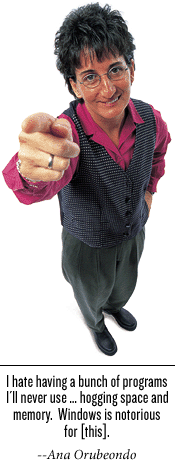
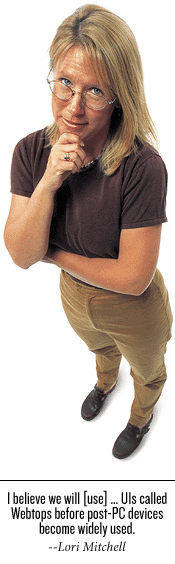
Two of the InfoWorld Test Center's most outspoken senior analysts, Ana
Orubeondo and Lori Mitchell, face off over the pros and cons of today's
graphical user interface with an eye toward the future of end-user computing.
Their disagreements center around usability, navigation, configuration and
setup, data input, and personalization issues.
Usability
Ana: Graphical user interfaces have proved to be a helpful way for the
average end-user to more easily interact with operating systems. But users
still need a good knowledge of the operating system itself to utilize the
sequences of steps needed before they are comfortable enough to successfully
manipulate the applications and are able to use the platform effectively. I
believe user interfaces will not reach maturity until end-users can use them
productively without learning the operating system itself. Many post-PC
devices provide exactly this kind of interaction, which leads me to believe
that client/server-based GUIs have seen their day.
Lori: Yeah, Ana, although the many different operating systems are becoming
similar to one another in look and feel, there are still the interfaces of
individual applications to deal with and learn. A good interface should
follow some standards and be consistent throughout.
More recently, the Web browser has arrived on the scene with its singular
metaphor. End-users can easily learn to use it, and the interface is the same
regardless of what application you are using. There is no need to become an
operating-system expert when you use the browser to access business
applications.
In fact, I believe we will go through a per-iod of network-based UIs called
Webtops before post-PC devices become widely used. Webtops are much closer to
viability that the devices you mention. (For more information on Webtops, see
the Test
Center Future Watch, Oct. 16.) It is possible today to use a
browser to access e-mail, internal and external Web pages, and full-blown
office suites.
One example of this metaphor can be found in implementing Linux desktops that
use a browser to access the aforementioned applications, including Sun's
StarOffice on the network. This metaphor frees end-users from traditional
client/server GUIs, decreases learning curves, and reduces end-user computing
costs. (For our take on Linux GUIs -- Gnome and KDE -- see our Test
Center Analysis.)
Navigation
Lori:Navigating the user interface is another important issue that makes the
difference between a good and a bad end-user experience -- and increased or
decreased costs for any company.Users shouldn't have to go more than three
levels into any pull-down menu to accomplish a task or access a file.
Pull-down menus should be easy to navigate and not require a user to hold his
or her finger tightly on the mouse to access the next level in the menu --
something you still have to do on the Macintosh platform after many
iterations of the user interface.
The evolving Web-based interfaces allow easier navigation even for the most
novice user.
Ana: I agree with you, Lori. There is a point at which too much layering is a
problem. The user does not want to search four-menus deep to access a simple
function in an application. Different applications have different
requirements. Obviously, an application that supports a lot of data entry,
such as an accounting package, has to be fairly keyboard-oriented and should
not require lots of screens to wade through. On the other hand, a conceptual
application, such as a graphical application used to create technical
documents, should be mouse-oriented, with lots of drag-and-drop control.
Configuration
and setup
Lori: Right from the beginning of installation, the user interface needs to
be intuitive enough for the novice user to set up. Wizards, online help, and
plug-and-play options are great for aiding users during setup and configuration.
Many newer operating systems have plug-and-play capabilities built in so that
the interface recognizes that new hardware is being installed, making it easy
for the end-user to configure. If plug and play is not an option, interfaces
should be designed with wizards because once users start adding printers,
digital cameras, and other gadgets the interface may need tweaks or
additional files the user may not have or have the knowledge to configure.
Ana: The installation, configuration, and setup process should be easy for
all users. But, Lori, I have to disagree with you about approach. I find some
wizards and setup tools to be annoying, painful, and time-consuming. Advanced
users and experienced administrators should be able to bypass the
wizard-based approach should they so choose. A large number of configuration
options don't normally need to be changed. Besides, experienced users will
have the skills and knowledge to make the proper modifications.
In my opinion, most Linux setups do a nice job of accounting for both new and
experienced users. I like having the flexibility to choose advanced setup and
configuration so that I can avoid annoying routines that waste my time.
However, less experienced users should also have the flexibility to choose
setup and configuration options that do a bit more hand-holding.
Data
input
Ana: Today we input data using the keyboard and one or more metaphors. We
might use a command-line interface to enter data or a form inside of a GUI.
Either way, the end-user needs to have significant knowledge about the
platform, operating system, and GUI before they can be effective. Businesses
lose a lot of time and money due to the complexities of end-user interfaces,
and this need not be the case.
I think the ultimate user-friendly interface would be one that will allow
users to interact with their computers using voice commands. Users should be
able to use a voice-powered tool to search the Internet, schedule
appointments, track contacts, and input and manipulate data without having to
grapple with keyboard and mouse. I believe we are getting closer to this type
of user interface and that it will make the GUIs we have today as ancient as
the Pong game in a very short time.
Lori: Although you may wish to use voice commands to input data, Ana, I think
it is still a ways out there. Some early adopters are probably already moving
in this direction, but there are still significant issues that need to be
addressed. For example, voice-recognition technologies need to be able to
better grapple with primary vocal input vs. background noise. There is still
too high an error rate and that makes voice recognition for the masses a
technology best to consider for the future.
Personalization
Ana: Lori, when it comes to personalization, client/server computing has made
it a complex affair. Users have to waste gobs of hours just to get a workable
system to do their job, which reduces productivity and increases costs. I
feel we need to abandon the bloatware we have used on end-user systems in favor
of using post-PC devices. Desktops are quickly becoming a legacy item, and it
is possible to do your work on a non-PC platform quite easily.
I'm all for personalizing interfaces and giving the end-users the freedom to
pick and choose the programs and applications that best meet their needs. I
personally don't like having dozens of default icons cluttering my desktop
interface, and I shouldn't have to go through the task of manually removing
them, which I am forced to do today. I also hate having a bunch of programs
that I'll never use residing on my computer hogging space and memory.
Microsoft Windows is notorious for doing these things.
I'd like an interface that is specifically personalized for my needs. As an
end-user, I shouldn't have to care if it's Windows, Linux, Solaris, OS/2,
Macintosh, or some other platform. What matters the most to me is having the
right tools to do the job. An interface that is customized by the end-user
will surely be more effective than the traditional graphical user interfaces
we currently use.
Lori: Ana, as usual, you favor the early adopter strategy, and I am not
surprised! But many companies cannot abandon their clunky client/server
systems in favor of post-PC devices. According to Gartner reports, nearly
two-thirds of IT sites are not early adopters. They favor fully writing off a
technology before moving forward, and this may make good fiscal sense for a
lot of organizations. I agree with you, though, that the writing is on the
wall: The bloated client interfaces of the client/server era are on their way
out.
In the client/server world, if users start customizing too much, they may
eliminate files and necessary programs that a company has mandated for their
employees. Therefore, standard companywide interface layouts may mean some
end-user limitations are necessary. If customization got out of hand it could
be a maintenance nightmare for the IT staff. It can also end up costing
companies more money to support.
Many online portals and Internet-based desktops allow users to customize what
is visible on their screen, what applications they want to use or where they
are laid out, as well as additional information to external feeds. This is
good for the end-user and it does not require any additional support from IT.
This is why Web-based applications such as Sun's StarOffice are excelling:
They give users both personalization and the freedom to access applications
from practically anywhere. I believe the network-based interface is the next
wave in end-user computing.
Return
to the Test Center End-user package
In "What makes a useful user interface?" (see Oct. 30, page 54), we
said that the Mac OS requires users to hold down the mouse button to see
navigation menus. While that was true with Versions 7 and before, Version 8
no longer requires users to hold down the button.
Ana Orubeondo
is a senior analyst for the InfoWorld Test Center. Tell her what you think of
the current state of user interfaces at ana_orubeondo@infoworld.com. Lori
Mitchell is a senior analyst for the Test Center. She has been interfacing
with computers since before "PC" was coined. Reach her at
lori_mitchell@infoworld.com.
|
